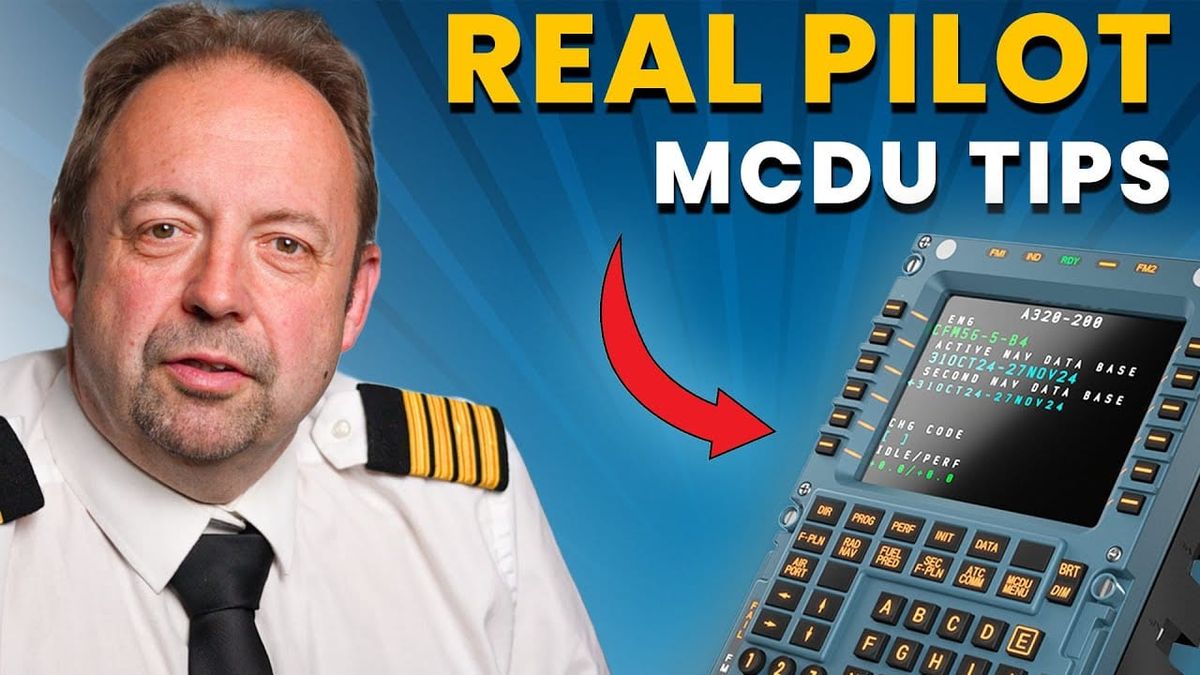
Original source: Airliners Live
This article is an editorial summary and interpretation of that content. The ideas belong to the original authors; the selection and writing are by Streamed.News.
This video from Airliners Live covered a lot of ground. 3 segments stood out as worth your time. Everything below links directly to the timestamp in the original video.
For pilots, mastering the MCDU's ET function offers a critical tool for operational efficiency and accurate passenger communication, directly improving real-time flight management.
Pilots Can Use MCDU's Estimated Takeoff Time Feature to Manage Slots and Inform Passengers
Pilots can leverage the Estimated Takeoff Time (ET) feature within the Multi-Function Control Display Unit (MCDU) to precisely manage takeoff slot times and refine flight planning. By navigating to "vertical revision line select key one" and selecting the "RTA button," pilots can input their estimated takeoff time, which then appears in magenta on the display, showing an accurate UTC time. For instance, entering a time nearly two hours away will display the corresponding UTC, such as 1630.
This capability significantly aids in operational efficiency by allowing pilots to confirm they can depart within the 5-minute window before a slot time. Beyond slot management, the feature provides a more accurate total flight time, assisting in crucial flight time limitation calculations to ensure crew compliance. Furthermore, it enables pilots to give passengers more precise expected landing times during public announcements, enhancing the overall passenger experience.
"It'll give you an accurate time for your flight. So, you can work out what time you can expect to land. It can help you if you're working on your flight time limitations."
Airbus MCDU Keyboard Highlights Compass Points for Faster Waypoint Entry
The Multi-Function Control Display Unit (MCDU) keyboard on Airbus aircraft features highlighted keys for 'E', 'N', 'S', and 'W', a subtle design choice intended to streamline pilot operations. These illuminated keys correspond to the cardinal compass points, drawing the pilot's eye to them during data entry. This design facilitates the rapid input of Latin long waypoints, which are geographical coordinates essential for flight navigation.
Historically, pilots frequently entered complex Latin long waypoint formats, such as "north 56, 22.5, west 0000, 1.4." By emphasizing the compass direction keys, Airbus engineers have created a small but effective ergonomic enhancement, allowing pilots to quickly locate and press the correct directional input. This thoughtful design detail improves efficiency and reduces potential errors during critical flight planning and execution.
"It makes your life a lot easier because they're highlighted and you can go straight for that key. A little trick that Airbus has obviously spent a little bit of time thinking about to make your life easier in the line."
Pilots Can Adjust Arrival Routes by Inventing Waypoints for Enhanced Descent Accuracy
Pilots can refine standard arrival routes, such as the Lamzo 2 into Amsterdam, by creating custom waypoints to achieve more accurate descent planning and track mileage calculations. This technique addresses situations where an automated flight plan directs an aircraft to a point directly over an airport, like the Sierra Papal Lima VOR, which is not a realistic target for an actual landing sequence. Such discrepancies can lead to incorrect track mileage, thereby compromising the accuracy of the aircraft's calculated descent path.
To correct this, a pilot can invent a new waypoint by taking the original, unrealistic point (e.g., Sierra Papal Lima) and applying an offset, such as adding "/-10" to place it ten miles short of the original. This newly generated waypoint is then inserted into the flight management system, and the original problematic waypoint is removed. This modification ensures the flight plan reflects the actual trajectory, providing more precise track miles and significantly improving the accuracy of descent planning for a safer and more efficient approach.
"So, how I would do it is I would put in Sierra Papa Lemur slash minus 10 and then I'd put it over the top of Sierra Papa Limma and insert it. We've now got a new waypoint... and that is more like what you're actually going to fly."
Also mentioned in this video
- To create a custom 'base leg' waypoint at Manchester to aid descent planning… (3:07)
- The speaker demonstrates how to extend the runway centerline on the MCDU map to… (6:49)
Summarised from Airliners Live · 9:52. All credit belongs to the original creators. Streamed.News summarises publicly available video content.
Streamed.News
This publication is generated automatically from YouTube.
Convert your full video library into a digital newspaper.
Get this for your newsroom →