Original source: TubeBuddy
This video from TubeBuddy covered a lot of ground. Streamed.News selected 5 key moments and summarises them here. Everything below links directly to the timestamp in the original video.
Save time on every video you post by pre-filling your description, visibility, and other key settings. Here is how to configure your channel's upload defaults in YouTube Studio.
YouTube Creators Can Automate Uploads Using Default Settings
Creators can save significant time by establishing upload defaults within YouTube Studio's settings. By navigating to the "Upload Defaults" section, users can pre-populate information that will apply to every new video, including the description, social media links, and visibility status, which is best set to "unlisted" to prevent accidental publishing.
This feature streamlines the publishing workflow by ensuring consistency and eliminating repetitive data entry. Users can also configure advanced settings like language and monetization preferences, making the process of uploading new content more efficient and less prone to manual error.
"Set your default visibility to unlisted so videos don't automatically go live when you upload."
YouTube's Built-in Editor Can Revive Failing Videos by Trimming Intros
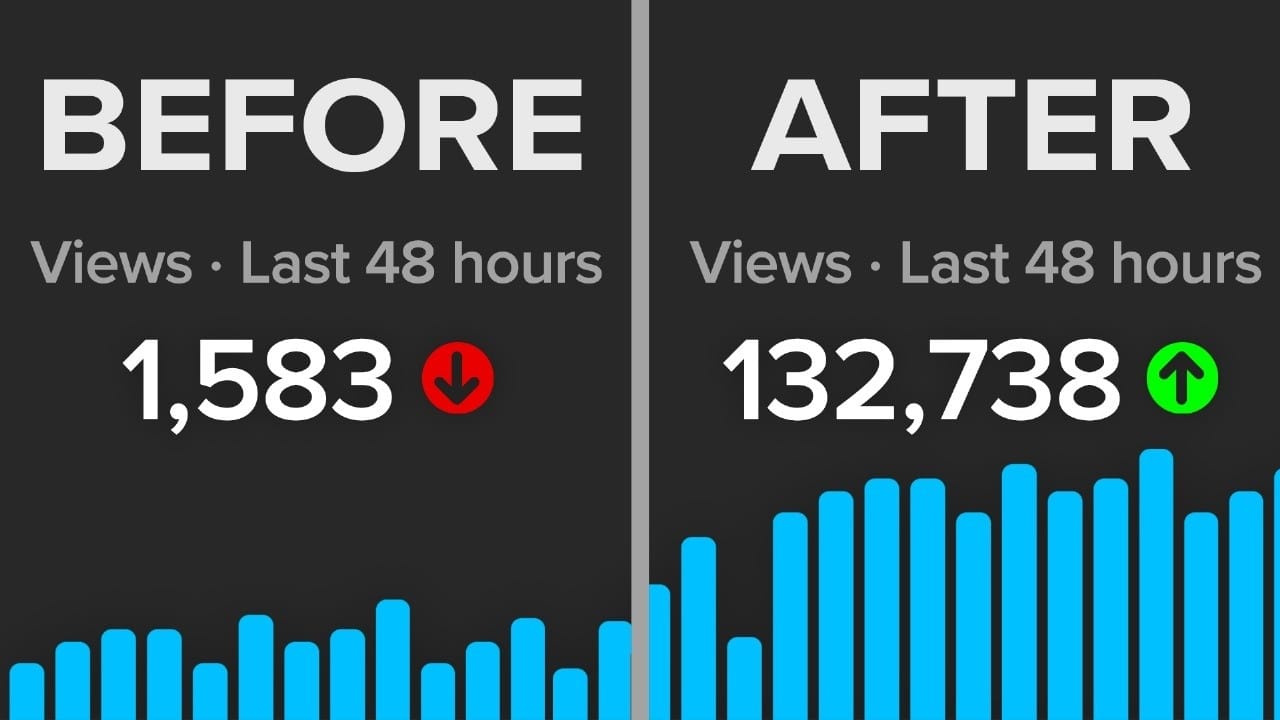
A poorly performing video can often be salvaged by editing its opening moments, according to one creator's experience. After noticing a huge drop-off in viewership within the first 30 seconds on a video's retention graph, the creator used the "Trim and Cut" tool within the YouTube Studio editor to remove the ineffective intro entirely. This single change transformed the video from a failure to a success, eventually reaching over 100,000 views.
This case demonstrates that creators don't have to abandon underperforming content. By analyzing audience retention data and making targeted edits, even after a video is published, it's possible to dramatically improve its performance and reconnect with viewers who may have initially clicked away.
"The video went from an absolute flop to now having over 100,000 views."
YouTube Analytics Reveal Top-Performing Content in First 24 Hours
To understand what content resonates most with an audience, creators can analyze a video's performance within the first 24 hours of being published. This data is available in YouTube Studio's "Advanced Mode" analytics, under a report titled "First 24 hours video performance." It highlights the videos that generated the most immediate engagement, providing clear signals about what viewers want to see.
By studying these top performers, creators can identify successful formulas to replicate in future content. The key to success may be a specific topic, a particular title format, or even a thumbnail style that captures viewer attention, offering a data-driven blueprint for content strategy.
"Look at our top performers. We reuse this YouTube CEO thumbnail, title, and concept multiple times because we know it works well with our audience."
YouTube Analytics Uncover Hidden Content Ideas in Viewer Search Terms
Creators can discover untapped video ideas by examining the exact search terms viewers use to find their content. Within YouTube Studio's advanced analytics, navigating to "Traffic Source" and then selecting "YouTube Search" reveals a list of these queries. This provides direct insight into what topics an audience is actively looking for on the platform.
This data often highlights subjects that viewers associate with a channel, even if the creator has never made a video about them. By creating content that directly addresses these search terms, such as "teleprompters" in one example, creators can meet existing audience demand and attract new viewers who are already searching for that expertise.
"Sometimes people are searching for things and finding your content, but some of the stuff they're searching for are not things you've ever made videos about."
YouTube Studio's 'Inspiration' Tab Generates Tailored Video Ideas
YouTube Studio includes a feature designed to combat creator's block called the "Inspiration" tab, found under the "Content" section. This tool automatically analyzes a channel's audience and generates video concepts specifically tailored to their interests, even providing a score indicating a topic's popularity with that viewership. Creators can also input their own topics to receive targeted suggestions.
Beyond just a title, the tool provides suggested hooks and a potential outline to structure the video. While the AI-generated thumbnails are described as poor quality and best ignored, the conceptual framework offers a strong starting point for creators looking to develop new content that is likely to resonate with their audience.
"YouTube analyzes your channel and generates video concepts specifically for your audience."
Also mentioned in this video
- Explanation of the 'channels your audience watches' feature in YouTube… (0:27)
- Using the 'trends' feature in YouTube analytics to discover what an audience is… (4:24)
- Organizing a YouTube channel page with playlists to improve viewer experience… (5:54)
- Utilizing the 'related video' feature for YouTube Shorts to link viewers to… (7:44)
Summarised from TubeBuddy · 8:31. All credit belongs to the original creators. Streamed.News summarises publicly available video content.